
The AWAGAM Request Blocker, Now Available on Android
Published on Sep 29, 2026, filed under tools, politics, misc. (Share this post, e.g., on Mastodon.)
AWAGAM is a versatile, blocklist-based TLD, domain, and URL blocker that has so far been available as an extension for Chromium browsers. (Grab a starter blocklist and try it out!)
AWAGAM is now also available on Android, and it blocks TLDs and domains for everything on the phone, not just for one browser.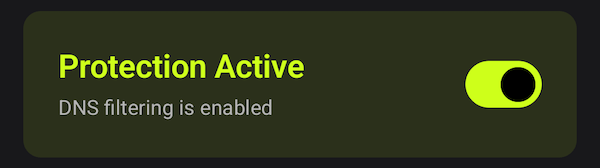
How AWAGAM Android Works
AWAGAM Androids works by setting up a local VPN that intercepts DNS queries, checks each one against blocklists, and answers the blocked ones with 0.0.0.0. Everything it doesn’t block goes to the DNS-over-HTTPS resolver you pick—DNS4EU by default, with Cloudflare, Google, Quad9, OpenDNS, and AdGuard also being available. Your regular Internet traffic is not routed through the VPN (the app only sees lookups).
DNS-level blocking means greater effectiveness at the cost of more specific targeting:
Blocklists cover every app. A blocklist that blocks
example.comblocks it in the browser, and in whatever else on the device tries to reach it.Blocklists cannot block URLs. DNS sees domain names, not paths, so a pattern like
example.com/path/*has no effect here. (That remains an AWAGAM browser extension feature. In the app, URL patterns in a blocklist are read and passed along, just not acted on.)
The blocklist format is the same one the extension uses, bundles included, so you can carry over an existing AWAGAM setup—by URL, or through import and export of the full configuration.
The app ships with no blocking rules, so nothing is blocked until you add a list. It collects no data, and it sends nothing to IA Defensa or anyone else; the only connections it makes are the DNS queries and the blocklist fetches the filtering itself needs. There are no analytics, no telemetry, no crash reporting, and no query logs. It also opts out of Android backup and device-to-device transfer, because which blocklists you subscribe to can say something about you, and that doesn’t belong in a cloud account. And it’s free software under the GPL, with the source open for auditing.
One constraint: Android allows only one VPN at a time. If you already run a VPN for privacy or for work, AWAGAM cannot run alongside it. The way around this is to export your blocklists—the app supports Pi-hole, AdGuard Home, and hosts formats—and to do the filtering wherever your DNS actually resolves, be that a Pi-hole, your router, or your VPN provider’s own filtering.
Give it a try—and report any issues!
About Me

I’m Jens (long: Jens Oliver Meiert), and I’m an engineering lead, guerrilla philosopher, and indie publisher. I’ve worked as a technical lead and engineering manager at various companies (e.g., Google); I’m an active web and tool developer (code optimization, digital defense), a contributor to web standards (like HTML, CSS, WCAG), and a book author (O’Reilly, Frontend Dogma).
I love trying things—in web development and engineering management, but also in politics and philosophy, where I hold to one idea in particular: that we can only be well if we take good care of everyone. Here on meiert.com I talk about some of my perspectives and experiences. (Interpret charitably but be critical—and share feedback and advice that makes my work better.)